
Imagine walking into a hospital clinic feeling confident about your visit, only to find the signage silent and the prescription slips impossible to read. For millions of people living with vision loss, this isn't just an inconvenience; it's a safety hazard. Inadequate communication in healthcare leads to real risks. Studies show that without proper support, visually impaired patients face up to 2.3 times more medication errors compared to sighted individuals. This gap exists not because solutions don't exist, but because they aren't always utilized effectively.
The good news is that technology has evolved to close this divide. We now have sophisticated tools that transform printed and digital health information into accessible sound. These audio resources act as a bridge between complex medical advice and patient understanding. Whether it is a smartphone app reading a label or a hospital system guiding you to the lab, the right setup can reduce confusion and improve outcomes significantly.
Understanding the Rights and Requirements
You might wonder where the push for these tools comes from. Accessibility isn't just charity; it is a requirement backed by decades of policy evolution. The framework started with landmark legislation designed to remove barriers for people with disabilities. In many regions, laws mandate that healthcare facilities provide auxiliary aids. This includes braille materials, large print documents, and increasingly, digital audio formats.
Regulatory bodies monitor compliance closely. Organizations like the Centers for Medicare & Medicaid Services emphasize that effective communication is a legal obligation. Healthcare organizations must offer services that allow patients to fully participate in decision-making. If a facility provides a brochure online, that same information must be available through auditory channels for those who cannot read the screen. Failure to comply can result in significant penalties, but for patients, the immediate benefit is autonomy.
In New Zealand and other jurisdictions aligning with these standards, hospitals are beginning to adopt comprehensive communication plans. While local regulations may differ slightly in terminology, the core principle remains the same: access to information is fundamental. Facilities that have implemented structured protocols report much higher satisfaction scores among patients with low vision. It turns out that simply having the technology isn't enough; staff must know how to use it.
Top Tools for Personal Health Management
Managing your own health outside the hospital requires reliable technology. There are several specialized applications that have become staples in the community. Unlike generic voice assistants, these tools are built with precision for medical documents and environmental navigation.
BARD Mobile stands out as a primary resource managed by national libraries. It provides access to thousands of books and magazines in audio format. For patients needing detailed health literature or educational material on conditions, this library is invaluable. It works on most modern smartphones and constantly updates its collection. Users connect via a secure portal that ensures eligibility while maintaining privacy.
For quick tasks like reading a medicine bottle or a printed flyer, Voice Dream Reader is a powerful option. It uses advanced speech synthesis to convert text instantly. The software supports over thirty languages, making it useful for diverse populations. Accuracy rates hover near perfection for printed text, ensuring you hear the exact dosage instructions without misinterpretation. While there is a cost associated with downloading the full version, many health advocates consider it essential gear.
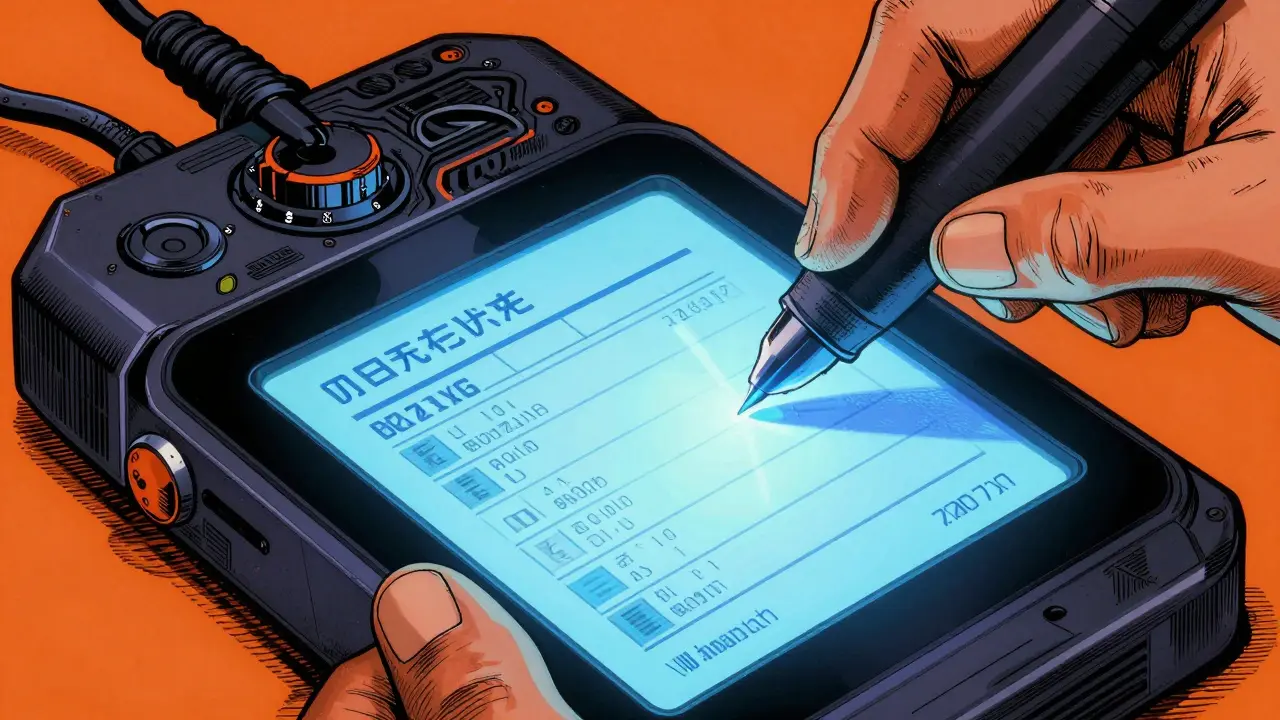
Another critical tool is KNFBReader, which focuses on converting printed media to speech. It processes documents in seconds, allowing you to scan a paper form or a handwritten note. Developers report high accuracy in identifying text, which is crucial when dealing with small print prescriptions. Having a device that reads physical paper quickly removes a major friction point in daily medication management.
Navigating Healthcare Facilities
Getting inside a building is one challenge, but finding the right room is another. Large hospitals can be mazes for anyone, especially for those unable to see directional signs. Traditional GPS maps often fail indoors due to signal loss. To solve this, some healthcare systems are implementing indoor wayfinding technology.
RightHear launched a talking signage system that helps patients locate departments using Bluetooth beacons. When you get close to a specific sign, your phone receives an audio cue telling you exactly what is behind the door. Early deployments showed a dramatic drop in requests for manual assistance from staff. Instead of asking strangers for directions, patients receive independent audio guidance. This preserves dignity and speeds up movement through the facility.
Even mainstream apps are improving accessibility features. Google Maps introduced accessibility modes years ago, but they lack specific medical context. Specialized venue apps remain superior for complex environments like university hospitals. They know which doors lead to restricted areas and which routes avoid crowds. As facilities upgrade their infrastructure, the integration between general navigation apps and hospital-specific databases is becoming smoother.
Comparing Popular Solutions
Choosing the right tool depends on your specific needs. Some prioritize speed, others focus on volume of content. Below is a breakdown of how key options compare regarding cost, function, and device compatibility.
| Feature | Tool Type | Primary Use | Availability |
|---|---|---|---|
| Library Access | BARD Mobile | Medical Books/Magazines | Free (Eligibility required) |
| Text-to-Speech | Voice Dream Reader | Websites/Documents | Freemium/Premium ($29.99) |
| Print Scanning | KNFBReader | Paper/Prescriptions | Paid Subscription ($99) |
| Indoor Navigation | RightHear Signage | Hospital Wayfinding | Facility Installed |
Each solution fills a different niche. Library services handle long-form reading, while scanning apps tackle immediate, short-term needs like checking a receipt. Navigation tools are passive until you need them. Knowing which tool serves which purpose prevents frustration when trying to manage multiple aspects of care.

Implementing Effective Strategies
Tech tools fail without human knowledge. Staff training is a recurring theme in successful implementations. Hospitals need to allocate time for learning these systems. Guidelines suggest spending eight to twelve weeks developing a communication access plan. This timeline allows for testing equipment and practicing scenarios where audio support is requested.
Patients also play a role. Many older adults feel uneasy with new smartphone features. Digital literacy programs tailored for vision impairment can boost confidence. When patients know how to adjust settings on their phones to pair with hospital beacons or read screens faster, they take more control. It reduces reliance on family members for basic tasks, fostering independence.
Content maintenance is another hurdle. Medical guidelines change frequently. Audio libraries must be updated weekly to reflect current dosages or protocol changes. Outdated audio files can be as dangerous as missing ones. Healthcare administrators track these updates to ensure consistency. If you spot outdated information, reporting it back to the provider helps keep the system safe for everyone.
Frequently Asked Questions
Are audio health resources free?
Many foundational services like public library audiobooks are free for eligible users. However, premium apps often require subscription fees ranging from $29 to $99 annually. Hospitals typically cover the cost of on-site navigation systems.
How do I certify for government assistive services?
You generally need a professional verification of visual impairment. Processing takes 14 to 21 business days after submission. Contact national library services or health agencies for application forms.
Can I use my own phone at the hospital?
Yes, most indoor navigation systems connect via Bluetooth to personal smartphones. Bring your device charged and ensure accessibility settings are turned on in your operating system.
Do screen readers work with medical websites?
Most modern sites support standard screen readers, though compatibility varies. Major healthcare platforms are updating to meet strict accessibility codes to prevent usage failures.
Is audio-only information safe for medication doses?
High-accuracy tools report error rates below 2%, but cross-checking is always recommended. Use dual methods when possible, such as having a second person verify critical numbers.