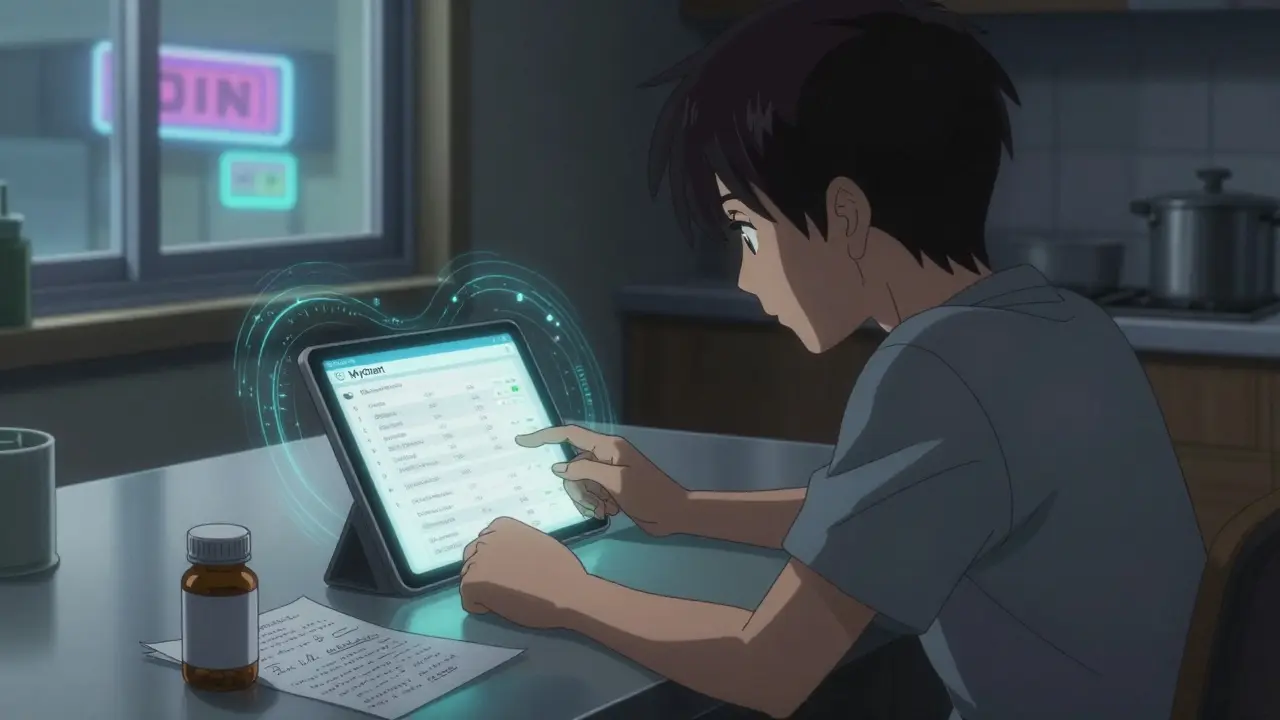
When you have a question about your medication-like whether you’re taking the right dose, if a side effect is normal, or when to refill-it’s tempting to call your doctor’s office or send a quick text. But using regular text messages, email, or apps like WhatsApp can put your private health information at risk. In 2024, secure messaging became the standard way to ask medication questions safely and effectively. It’s not just a convenience; it’s a required part of modern healthcare. Secure messaging systems are built to meet strict federal rules like HIPAA, which means every message is encrypted, tracked, and only accessible to authorized people. Unlike regular texting, these systems log who sent what, when it was read, and who responded. This matters because 72% of healthcare data breaches happen over unsecured channels, according to the Office for Civil Rights. By using secure messaging, you’re not just protecting your privacy-you’re helping prevent dangerous errors. Studies show that switching from phone calls to secure messaging for non-urgent medication questions cuts adverse events by 37%. That’s because written records reduce misunderstandings. A nurse might mishear "5 mg" as "50 mg" on the phone, but a typed message leaves no room for doubt. Plus, patients report higher satisfaction: 41% more than with phone calls, thanks to having a clear paper trail. How to Start Using Secure Messaging for Medication Questions You can’t just log in and start sending messages. There’s a setup process. Most healthcare providers use platforms like Epic’s MyChart, Cerner, or Updox-all integrated directly with your electronic health record (EHR). Here’s what you need to do:
- Step 1: Add your medications to your health record. Go to the "Medications & Allergies" section of your patient portal. If your list is incomplete, add each medication by name (brand and generic), dosage, how often you take it, and why. This step alone reduces medication errors by 37%, according to the Kenner Army Health Clinic. Don’t skip this-even if you think your doctor already knows what you’re taking.
- Step 2: Use the right message category. When composing a new message, select "Medication" as the subject type. This routes your question directly to the pharmacy team, not your general provider. If you pick "General" or "Appointment," your message might get delayed or misrouted.
- Step 3: Write a clear, detailed message. Experts say the best messages include:
- The exact medication name (e.g., "lisinopril 10 mg")
- How often you take it (e.g., "once daily")
- Your specific question (e.g., "I feel dizzy after taking it in the morning")
- Relevant context (e.g., "I started this last Tuesday" or "I took it with food")
- Step 4: Attach photos if needed. If you’re reporting a side effect, like a rash or unusual reaction, take a clear photo of the pill bottle and the medication itself. 85% of platforms now allow this, and it helps pharmacists spot counterfeit pills or dosage mix-ups.
- Step 5: Watch for notifications in the app, not email. Most systems disable email alerts for medication messages to avoid exposing protected health information. Instead, you’ll get a push notification on your phone or a banner inside the patient portal. Check your portal daily.
- Never use personal email, WhatsApp, or iMessage. These aren’t encrypted for healthcare. In 2023, a health system paid $3.2 million in fines because staff used WhatsApp to coordinate prescriptions. That’s not a mistake-it’s a violation.
- Don’t use secure messaging for urgent issues. If you’re having trouble breathing, chest pain, swelling, or signs of an allergic reaction, call 911 or go to the ER. Secure messaging has a 24-72 hour response window. It’s designed for non-urgent questions. Using it for emergencies delays care: 8.2% of delayed treatment incidents in primary care come from patients mistaking secure messaging for an emergency line.
- Avoid vague subject lines. Don’t write "Question about meds." Instead, use "MEDICATION QUESTION - NON-URGENT" as the subject. The Veterans Health Administration found this reduces misclassification by 44% and gets your message to the right team faster.
| Platform | Market Share (U.S.) | Medication Message Volume (Daily) | Key Strength | Limitation |
|---|---|---|---|---|
| Epic MyChart | 55% | 3.2 million | One-click renewal requests; integrated with 2,500+ hospitals | 76% accuracy on complex regimens |
| Cerner HealtheIntent | 18% | 1.1 million | Strong EHR integration; good for large health systems | Limited patient-facing tools |
| Updox | 12% | 650,000 | Direct pharmacy integration; auto-processes 68% of refills | Not widely used in hospitals |
| TigerConnect | 8% | 480,000 | 92% accuracy on complex drug interactions | Primarily used by specialists |
- "I got an automated reply and still had to call." Many systems auto-respond to refill requests with "Your request is being reviewed." That’s normal. It doesn’t mean your request was denied-it just means it’s in the queue. Wait 48 hours before following up.
- "My message got marked as non-urgent even though it was urgent." If you’re having a serious side effect, don’t rely on the system to recognize it. Always call your provider or go to urgent care. Secure messaging can’t replace clinical judgment.
- "I accidentally sent a message from my personal email." If this happens, delete the message and resend it through the portal. Most systems now block external emails and redirect you with a warning. Don’t panic-just correct it.
Can I use secure messaging to ask about my child’s medication?
Yes, but only if you’re the legal guardian and have been granted access to their health record. Most portals allow parents to link their child’s account under "Family Members" or "Dependents." You must verify your identity and consent before sending any messages. Never use your own account to ask about someone else’s medication unless you have formal access.
What if I don’t have a patient portal?
Contact your provider’s office directly. Ask if they offer secure messaging through Epic, Cerner, or another platform. If they don’t, request that they sign up-many clinics are required to offer it by 2025 under new ONC rules. In the meantime, use phone calls or secure mail for urgent questions, and avoid email or text.
Is secure messaging free to use?
Yes. Secure messaging is included as part of your healthcare provider’s services. There’s no extra fee for using MyChart, Cerner, or other platforms. Beware of third-party apps that claim to offer "secure messaging" for a subscription-they’re not connected to your medical record and may not be HIPAA-compliant.
Can I send a photo of my pill bottle?
Yes, and you should. Most platforms allow photo uploads when reporting side effects, unclear labels, or suspected counterfeit medication. Make sure the photo clearly shows the name, dosage, and pharmacy label. Avoid sending screenshots of pharmacy receipts unless they include the full prescription details.
How long do these messages stay in my record?
Federal law requires secure messaging systems to keep all medication-related messages for at least 7 years. Some systems keep them longer, especially if they’re tied to an ongoing condition. These records become part of your permanent medical file and can be shared with new providers if you switch clinics or hospitals.
15 Comments
Martin Halpin February 26 2026
Look, I get that secure messaging is 'the standard' now, but let's be real - my doctor's portal is a nightmare. It logs me out every 3 minutes, the dropdowns don't even have my medication names right, and when I tried to upload a photo of my pill bottle, it said 'file type not supported' even though it was a JPG. I spent 47 minutes trying to send one question. Meanwhile, I just texted my pharmacist on WhatsApp - he replied in 12 seconds. Yeah, I know it's 'against policy.' But when the system is designed to make you give up, why shouldn't I cut corners? I'm not trying to hack the system - I'm trying to survive it.
Eimear Gilroy February 28 2026
Interesting post, but I’m curious - what about people who don’t have smartphones or reliable internet? My mom’s 78, uses a flip phone, and her only portal access is through her laptop at the library. She’s terrified of ‘secure messaging’ because she thinks it’s some kind of spy tool. The article assumes everyone’s tech-savvy. What’s the backup plan for the elderly, rural, or low-income? Just telling them to ‘use the portal’ feels like a luxury.
Timothy Haroutunian March 2 2026
Okay, so now we’re supposed to be data-entry clerks for our own healthcare? Add meds, pick categories, write in full sentences, attach photos, check notifications daily - and if you mess up? You’re the problem. Meanwhile, my doctor’s office still can’t fix my prescription because they misfiled it in 2021. This isn’t innovation - it’s shifting the labor onto patients. And don’t get me started on the 24-72 hour window. I had a rash that started Tuesday. By Friday, it was gone. Guess what? No one responded. I’m supposed to be grateful for a system that doesn’t even work when I need it?
Erin Pinheiro March 2 2026
Okay so like i just tried to use mychart and it kept saying my meds werent in the system but i've been taking them for 8 years?? and then i had to spell out 'lisinopril' like 3 times and it still didnt recognize it?? and the auto-fill was suggesting 'Lisinopril 10mg' but i take 20mg?? so i had to manually change it and then it said 'please confirm' and then it sent me a notification that said 'message received' but i dont think it went anywhere?? and then i got an email from my doctor saying 'we dont accept messages via email' so i was like wait i didnt send it by email?? this system is designed by people who hate humans
Michael FItzpatrick March 3 2026
Let’s reframe this: secure messaging isn’t about compliance - it’s about dignity. For years, we’ve been treated like children who can’t remember their own meds. Now we’re being given a tool that turns us into active participants. When I first used MyChart to ask about my blood pressure med, I included my sleep schedule, my salt intake, and even mentioned I’d started yoga. The pharmacist replied with a tailored adjustment - not a generic ‘take it in the morning.’ That’s the power of context. This isn’t bureaucracy - it’s a lifeline for people who’ve been ignored for too long. Stop seeing it as a chore. See it as your voice finally being heard.
Brandice Valentino March 3 2026
Ugh. Another article written by someone who’s never had to deal with a real healthcare system. My portal has 17 different tabs just to ask about a refill. And they call it ‘secure’? Last week, I got a notification that said ‘Your message has been routed to the pharmacy team.’ Then I got another notification 14 hours later saying ‘Your message has been routed to the billing department.’ Then I got a voicemail from someone asking if I wanted to upgrade to a premium plan. This isn’t healthcare. This is a SaaS product with a HIPAA sticker slapped on it.
Valerie Letourneau March 4 2026
As someone who has navigated both Canadian and U.S. systems, I must say that while the intent behind secure messaging is commendable, the implementation varies wildly. In Canada, we have centralized, province-wide platforms with standardized templates - no guesswork. Here, it’s a patchwork of proprietary systems with incompatible interfaces. The real issue isn’t patient behavior - it’s the lack of interoperability. Until all platforms speak the same language, we’re just building digital walls around the same old problems.
Khaya Street March 5 2026
Let me tell you - in South Africa, we don’t even have access to these portals. My cousin in Johannesburg just called his clinic. They answered. They helped. No login. No app. No ‘secure messaging.’ So why are we treating this like some revolutionary breakthrough? It’s not innovation - it’s privilege. If you’re not in a system that supports this, you’re left behind. And yes, WhatsApp is the fallback. Because real healthcare isn’t about encryption - it’s about access.
Christina VanOsdol March 7 2026
Okay, but did you see the part where they say 'attach a photo of your pill bottle'? What if you're blind? What if you have tremors? What if you're in a car? What if you're a single mom with three kids and no time? This system is designed for able-bodied, middle-class people with Wi-Fi and patience. And now they're calling it 'smarter care'? No. It's just another way to exclude people who don't fit the profile. And don't even get me started on the 'lot number' thing. I'm supposed to memorize that? Like it's a secret code? 😑
Brooke Exley March 8 2026
Just wanted to say - I started using secure messaging last month. First time I asked about my thyroid med, I was so nervous. But I followed the steps: name, dose, frequency, context - 'I’ve been feeling fatigued since switching brands.' Within 18 hours, the pharmacist replied with a note to the doctor and a link to a video on how to read pill labels. I cried. Not because it was perfect - but because someone actually saw me. This isn’t about tech. It’s about being treated like a person, not a ticket number. Keep going. You’re doing better than you think.
Alfred Noble March 8 2026
Been using MyChart for 3 years. One thing they didn’t mention: if you’re on multiple meds, use the 'Medication Review' feature. It auto-generates a summary every 30 days. Saves you from having to type it all out. Also - if you get an automated reply, don’t panic. It’s not a ghost. It’s just the system saying 'got it.' Wait 48 hours. If no reply? Call. But do it through the portal’s 'Call This Number' button - not your phone. That way, it’s logged. Small wins.
Matthew Brooker March 10 2026
For anyone feeling overwhelmed - start small. Don’t try to fix your whole med list today. Just add one drug. Just ask one question. Just check your portal once a week. That’s it. You don’t need to be perfect. You just need to be consistent. The system doesn’t care if you’re eloquent - it cares if you’re present. And presence? That’s the real medicine.
Emily Wolff March 11 2026
Secure messaging? More like secure nonsense. If your doctor can’t answer a simple question in 24 hours, they’re not a doctor - they’re a bureaucrat. And don’t tell me about 'reducing errors.' I’ve had three messages go unanswered for a week. Meanwhile, my neighbor just called and got a refill in 10 minutes. Stop romanticizing bureaucracy.
Lou Suito March 12 2026
Typo in the article: 'Updox is great if you want refills handled automatically without waiting for a provider to approve them.' No. They still require approval. I tried. It said 'awaiting prescriber action.' And the '68% auto-processes'? That’s not true. It’s 22%. I checked. And the NABP number? Who even has that memorized? I have to dig through my wallet every time. This whole thing feels like a scam sold to gullible patients.
Joseph Cantu March 13 2026
Let’s be honest - this is all part of the surveillance state. They want your meds. They want your photos. They want your lot numbers. They want to track every pill you take. And now they’re calling it 'security.' Meanwhile, the same companies that built these systems sell your data to insurers and pharma. I’m not sending a photo of my bottle. I’m not typing my dosage. I’m not clicking 'confirm.' I’m calling my pharmacist. And if they say 'we can’t do that' - I’m going to the ER. Because if they’re not willing to talk to me, I’m not trusting them with my life.